
Titan Deployer
How to launch a token
Step-by-step: launch a token on Stable Chain with Titan Deployer — from the web terminal or the Telegram bot — with an optional first buy in the same transaction.
Launching takes one transaction and costs nothing beyond gas. You need a wallet on Stable Chain with a little USDT0 for gas (and more if you want to make a first buy). Both launch paths — the web terminal and the Telegram bot — produce exactly the same on-chain result.
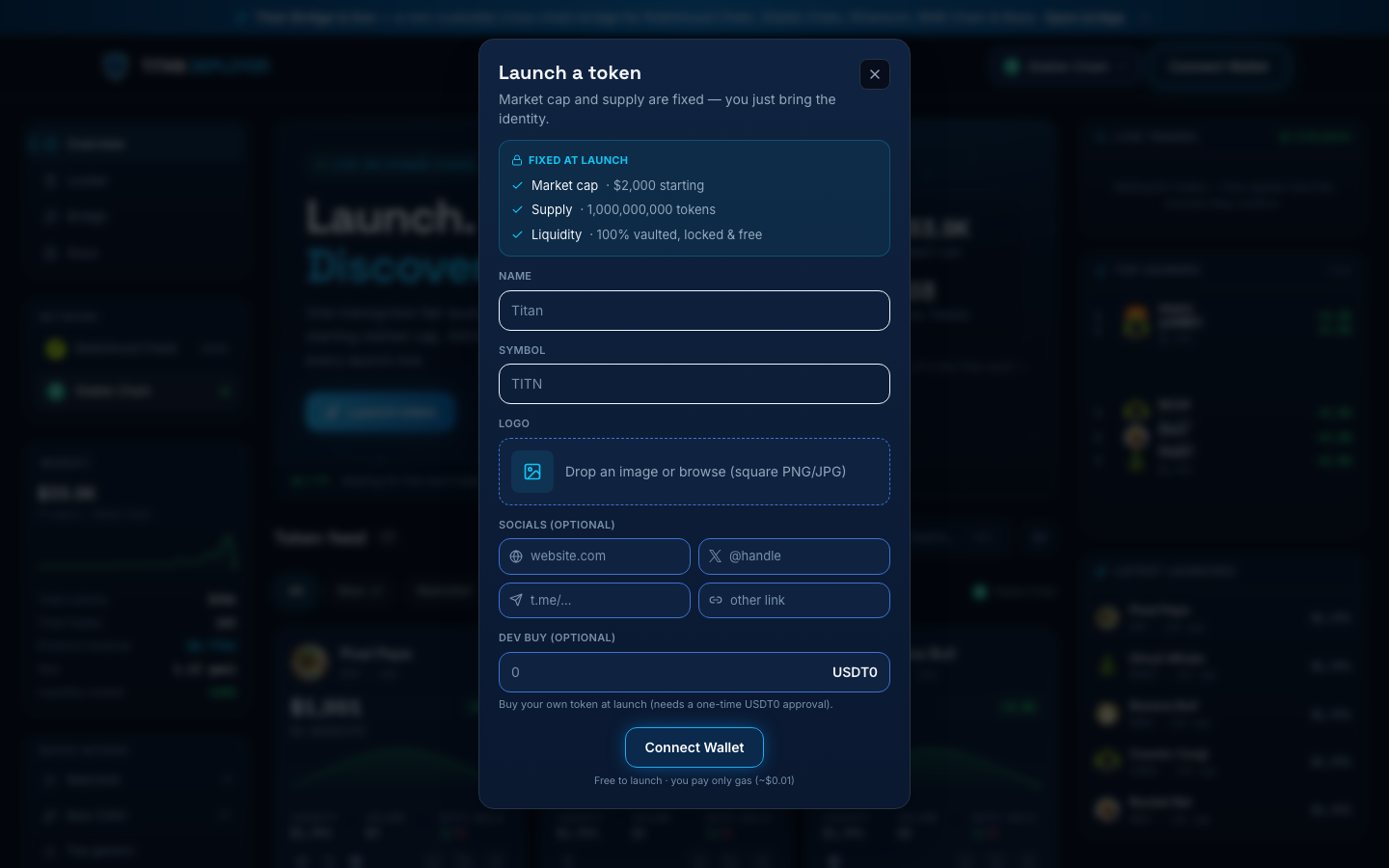
From the web terminal
- Open /deploy/stable and connect your wallet (switch to Stable Chain if prompted).
- Click Launch token. Enter the token name and symbol, and upload a logo — the logo is pinned to IPFS and served from Titan's gateway.
- Pick a category tag (meme, ai, gaming, defi, social) and optionally add a description of up to 500 characters — both stored on-chain.
- Optionally add a website, X (Twitter) link, Telegram link, or one other link. These are stored with the launch and shown on the token page.
- Optionally set a dev buy amount in USDT0. This executes as a real swap in the launch transaction itself, so you buy at the opening price before anyone else can.
- Confirm the transaction. When it lands you're redirected to the new token's live page.
From the Telegram bot
- Open @titandeployerbot on Telegram and choose Launch.
- The wizard collects the same fields: name, symbol, category tag, optional description, logo, links, optional dev buy.
- If you dev-buy, the bot uses an EIP-2612 permit signature so approval and launch happen in a single transaction — there is no separate approve step.
What the launch transaction does
- Deploys the ERC-20 with a fixed 1,000,000,000 supply.
- Creates the Uniswap V3 pool against USDT0 at the 1% fee tier, priced so the full supply is worth $2,000.
- Mints a one-sided liquidity position holding the entire supply.
- Locks that position NFT in the Titan Locker vault for 100 years — with no withdraw path in the contract, and extendable by anyone for another 100 years.
- Executes your dev buy, if you set one.
- Emits TokenLaunched — the feed indexes it and the token appears in the live terminal within a few seconds.
A launch with no dev buy costs only gas — typically well under one cent on Stable Chain.