
Titan Locker
Locking a Uniswap V3/V4 position
Lock a Uniswap V3 or V4 liquidity position (NFT) on Robinhood Chain and keep collecting its trading fees while the principal stays locked.
Uniswap V3 and V4 liquidity is held as an NFT (a position), not as a fungible LP token. Titan Locker V2 locks that NFT and — unlike a plain lock — lets you keep collecting the position's accrued trading fees the whole time it's locked, so proving your liquidity is locked doesn't cost you the fee income.
On the Create page, open the “LP Position (V3 / V4)” tab. Uniswap v2, v3, and v4 are all live on Robinhood Chain.
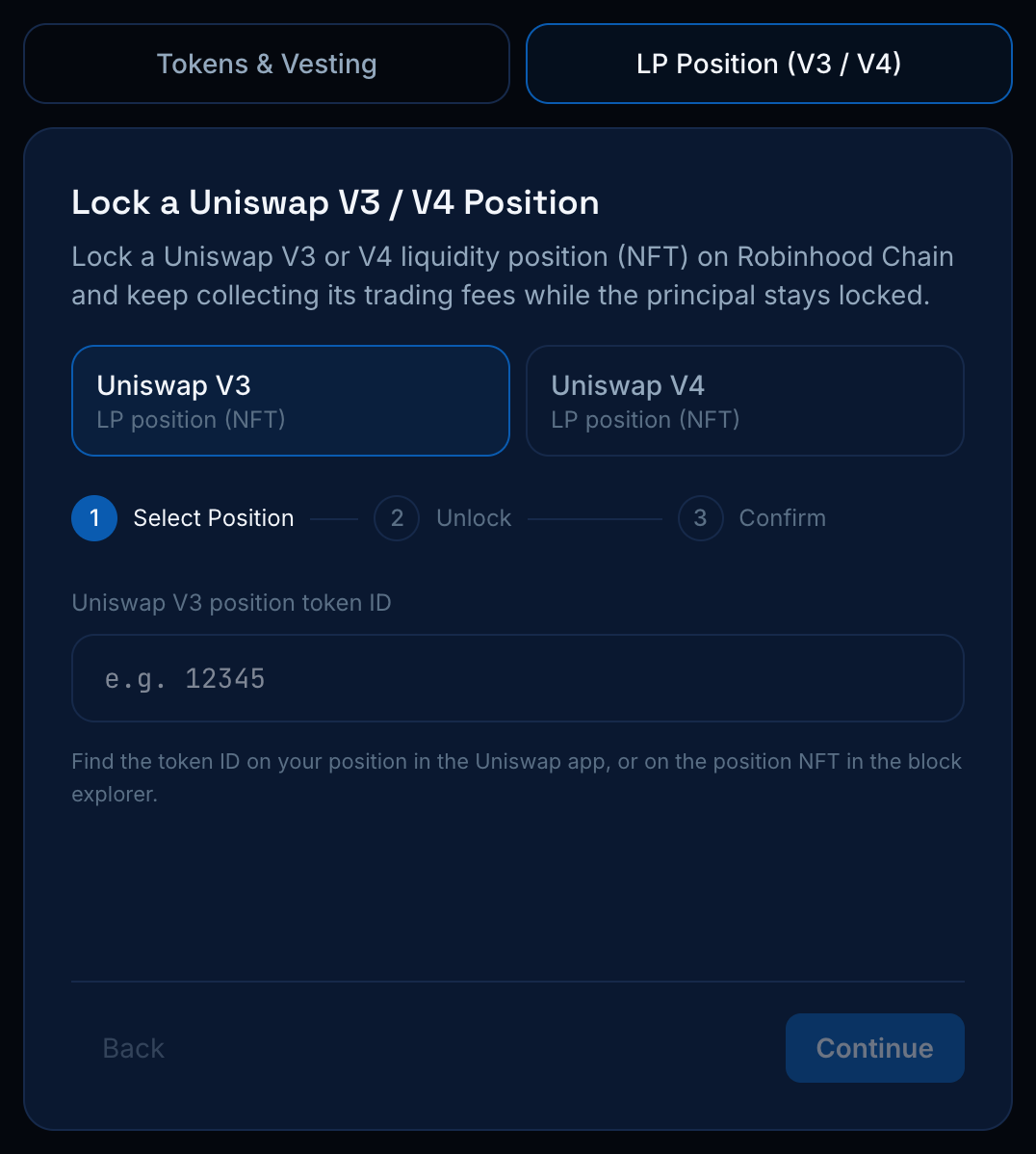
1. Pick the version and position
Choose Uniswap V3 or V4, then enter the position's token ID (the NFT id — you'll find it on your position in the Uniswap app or on the position NFT in the block explorer). The app checks that your connected wallet actually owns that position.
2. Unlock date
Pick when the position NFT becomes withdrawable. You can collect trading fees at any time while it's locked; the NFT itself unlocks once this date passes.
3. Approve & lock
Approve the position NFT to the Titan Locker Manager V2.1 contract (a one-time ERC-721 approval for that token id), then confirm. The manager pulls the NFT into a fresh isolated lock contract and pays the flat ETH fee — position locks don't use the percentage-of-token fee, since there's no fungible amount to take a cut from.
Collecting fees while locked
Open the lock's certificate page and use “Collect trading fees” at any time to sweep the position's accrued fees to you. The locked liquidity itself stays put until the unlock date — fee collection never withdraws the principal.
V3/V4 position locking only interacts with position managers the owner has allowlisted (the canonical Uniswap ones on Robinhood Chain). If the tab shows a “not enabled yet” notice, that manager hasn't been allowlisted on-chain. See Contracts for the allowlisted addresses.