
How to Launch a Token on Stable Chain (Step by Step, Free)
A practical walkthrough of launching a token on Stable Chain with Titan Deployer — web or Telegram, optional dev buy in the same transaction, and what it costs (gas only).
Published · Last reviewed · Titan Locker
Launching a token on Stable Chain takes one transaction and about a minute of setup. This guide uses Titan Deployer, the fair-launch platform where every token starts in a real Uniswap V3 pool at a $2,000 market cap with permanently locked liquidity, and creators earn 60% of trading fees. The launch itself is free; you pay only gas in USDT0.
Before you start
- A wallet with Stable Chain (chain ID 988) added — the Titan interface offers to add and switch networks for you.
- A little USDT0 for gas (fractions of a cent per transaction). If you're coming from another chain, Titan Bridge moves ETH, USDT0, or any ERC-20 to Stable Chain non-custodially.
- Optionally, more USDT0 if you want a dev buy — your own first purchase, executed at the public opening price inside the launch transaction.
- A square logo image, and your project links (website, X, Telegram) if you have them.
Launching from the web
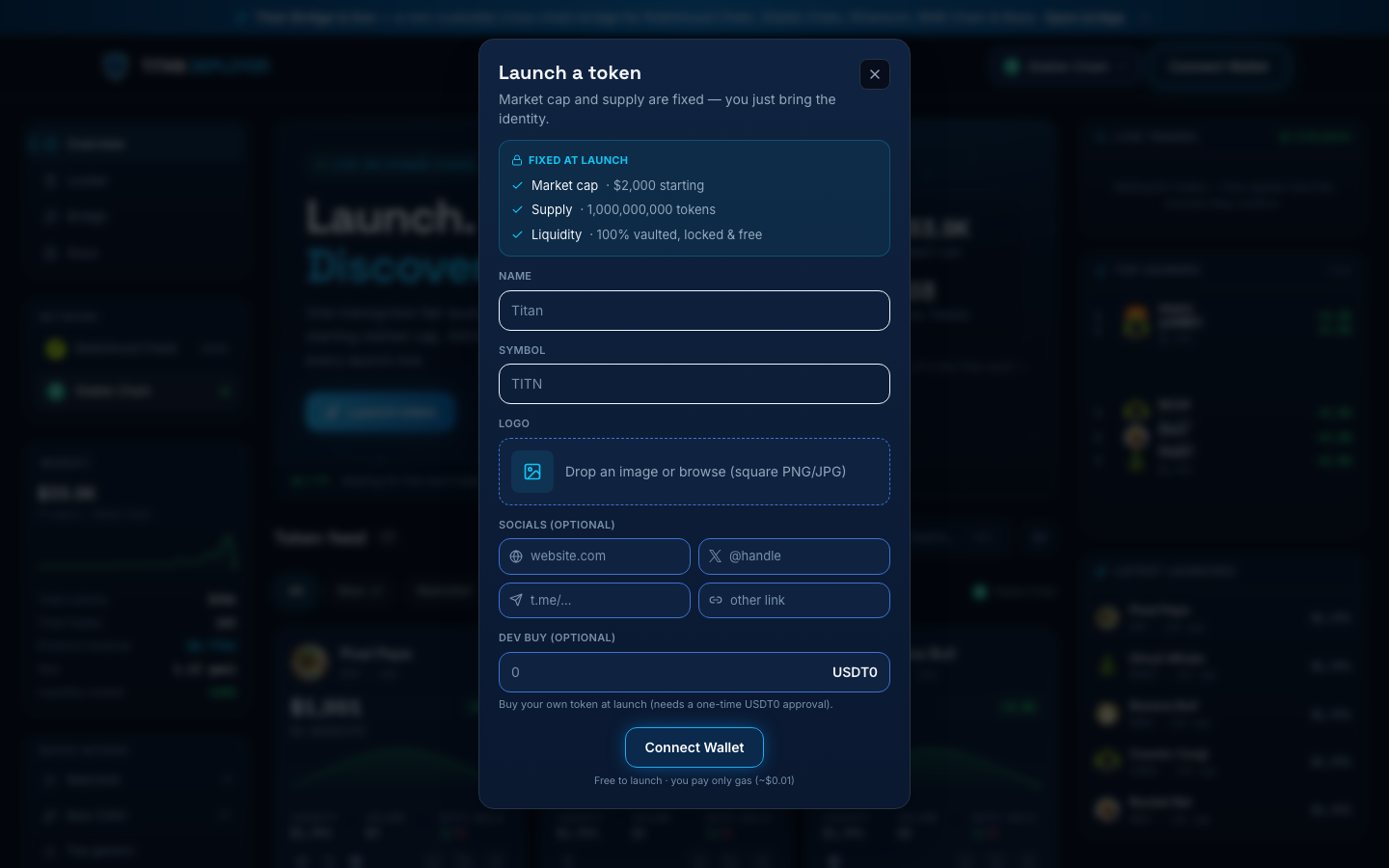
- Go to the launch terminal at /deploy/stable and connect your wallet.
- Click Launch token.
- Enter the name and symbol, pick a category tag (meme, ai, gaming, defi, social), and optionally add a description (up to 500 characters). Upload the logo — it's pinned to IPFS automatically.
- Add links (website, X, Telegram, other). They're stored with the launch and rendered on the token page — worth doing, since traders check them.
- Set a dev buy in USDT0, or leave it at zero.
- Confirm. One transaction deploys the token, creates and seeds the pool, locks the liquidity, and executes your dev buy. You're redirected to the live token page when it lands.
Launching from Telegram
The @titandeployerbot bot runs the same flow as a chat wizard: name, symbol, logo, links, optional dev buy, confirm. Because the bot uses an EIP-2612 permit signature for USDT0, the approval and the launch happen in one transaction — there is no separate approve step even with a dev buy.
After the launch
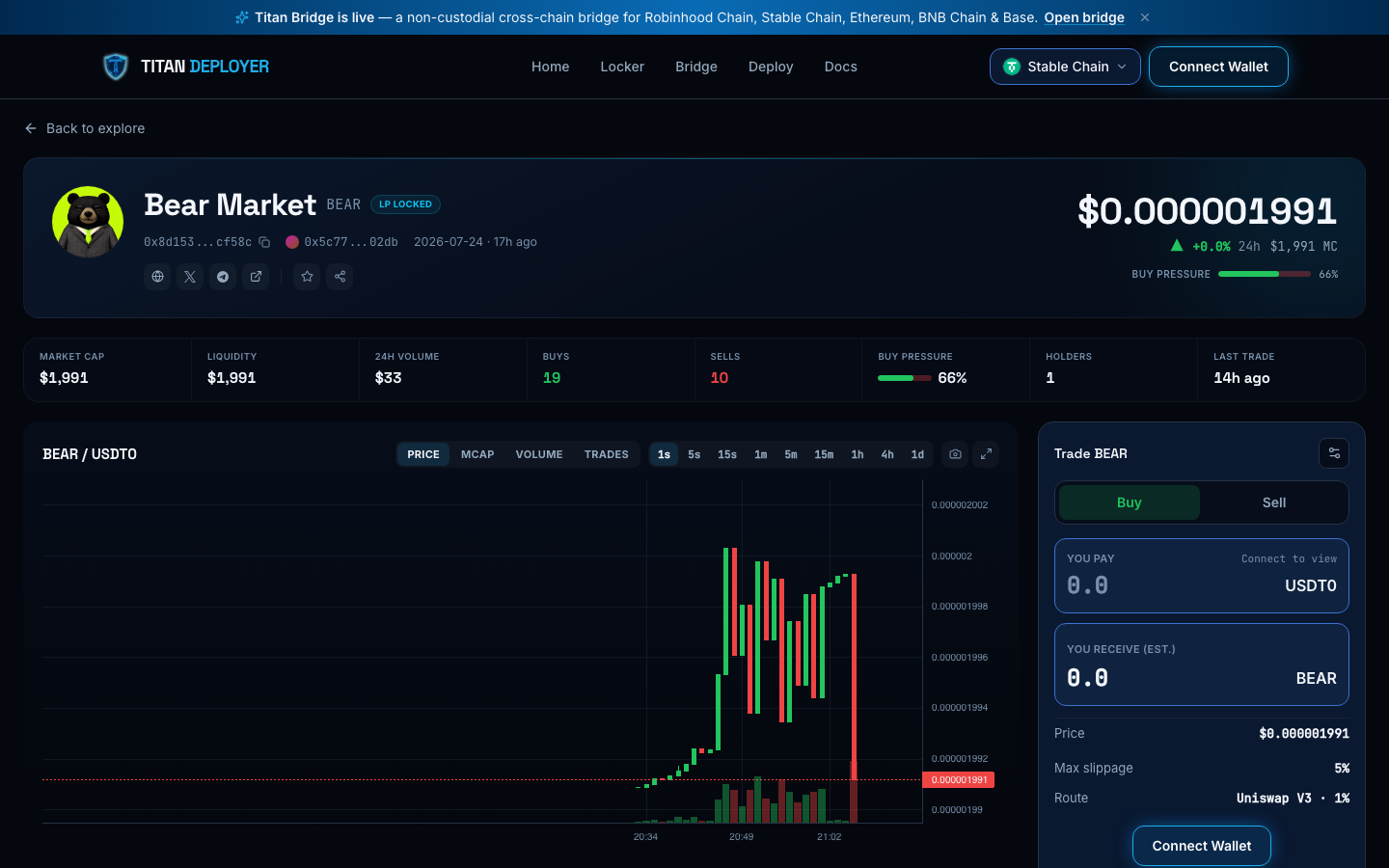
- Your token appears in the live feed within a few seconds, with a 1-second chart, live transactions, holders, and trader PnL.
- Anyone can buy or sell immediately — it's a standard Uniswap V3 pool, so aggregators and bots can route it too.
- Trading fees start accruing to the locked position at once. Claim your 60% share any time from your creator portfolio; the claim dialog simulates on-chain first so you see exact amounts before signing.
- Share the token page link — it carries the chart, socials, and contract address, and it's the page the terminal links everywhere.
The contract address, supply, pool, and lock are permanent the moment the transaction confirms. Double-check the name, symbol, and logo before confirming — metadata is part of the launch.
What it costs
| Item | Cost |
|---|---|
| Platform launch fee | 0 — the contract's launchFee() is zero |
| Gas | Typically well under $0.01 on Stable Chain, paid in USDT0 |
| Dev buy | Optional, whatever you choose — it buys tokens at the $2,000 opening valuation |
Frequently asked questions
How much does it cost to launch a token on Stable Chain?
With Titan Deployer, the platform fee is zero — you pay only gas in USDT0 (typically under a cent), plus an optional dev buy of any size.
Do I need to add liquidity myself?
No. The launch deposits the entire 1,000,000,000-token supply into a Uniswap V3 pool as one-sided liquidity, priced at a $2,000 market cap. You never provide seed capital.
Can I buy my own token at launch?
Yes — set a dev buy and it executes inside the launch transaction at the public opening price, before any other trade can land. It's badged DEV on the token page.
How fast is a launched token tradable?
Immediately. The pool exists from the launch block, and the live terminal indexes the token within a few seconds.
Can I launch from Telegram?
Yes — the @titandeployerbot bot runs the same wizard, and its EIP-2612 permit support makes launch plus dev buy a single transaction.